The finished install
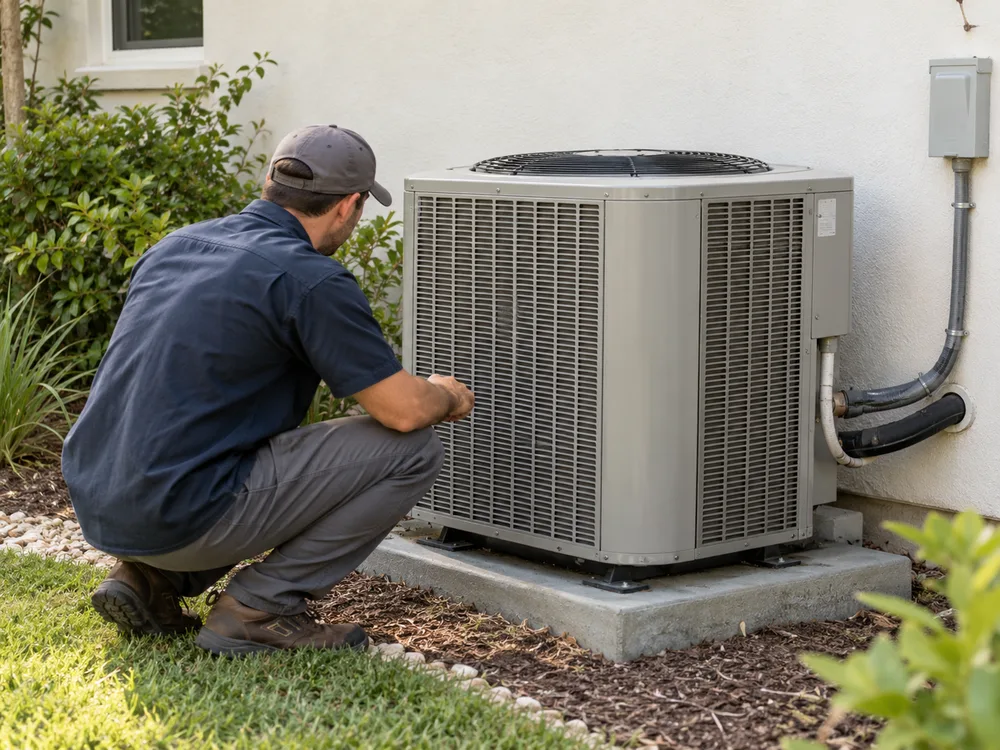
A closer look at a completed installation. The pipework is supported and the work area is clear, ready for the final handover.

Schedule HVAC and contractor updates from completed jobs, service questions and seasonal work. Office staff can prepare drafts from approved photos, a technician can check the description, and you can choose publishing times ahead of the next callout. Customer addresses, access details and unsupported repair advice stay out of the post.
Gather approved job photos and the questions customers asked this week. Write a batch of posts while the details are fresh.
Schedule tune-up reminders and service updates for chosen dates. On paid plans, recurring posting slots give your approved posts a regular place in the week.
A useful installation photo shows the finished equipment and workmanship. Crop out house numbers, vehicle plates, invoices and access details, and check permission before sharing a customer’s property. Let the technician confirm the job description so a scheduled post does not promise a service you did not perform.
A closer look at a completed installation. The pipework is supported and the work area is clear, ready for the final handover.
Illustrative example · HVAC & contractors
Your own photo. Your own words. A saved place in the week.
Show the finished work. Answer the next customer's question.
A closer look at a completed installation. The pipework is supported and the work area is clear, ready for the final handover.
Arranging a service? Tell us which system you have and what you've noticed. That gives our team a useful starting point before the appointment.
What happens after the estimate? We'll talk through the proposed work, answer your questions and agree on the next step before an installation is booked.
Illustrative posts, not customer publishing records.
Share one detail that explains the work. Leave addresses, license plates and customer information out of the image.
Explain what a routine service covers and how customers can arrange it. Check that your availability is still current before the post runs.
Use a customer question to explain a service in plain language. Keep safety-sensitive advice with the qualified person on your team.
Nuntio helps you plan and publish updates. It does not promise leads or measure which posts brought in work.
Not yet. Nuntio supports Facebook, Instagram, LinkedIn and X. Google Business Profile posting is not available. See the roadmap for planned features.
Yes. Office staff can draft the update from approved job photos. A colleague with review permission can check the equipment, scope of work and service area before it is scheduled.